SDC Canada Certified 100% Practical Training Placement Support

BSc Multimedia and Animation Degree

Why limit your future to one creative skill? This 36-month B.Sc. programme brings 11 career-focused fields together in one degree - including graphic design, video editing, motion graphics, VFX, 2D/3D animation, photography, filmmaking, game art, architectural visualisation, digital content and Generative AI.

At XL Multimedia & Animation Institute, students learn through practical training, current internationally used software, studio assignments, portfolio projects and regular feedback. The aim is simple: help students build real skills, discover the field they are strongest in and start gaining professional experience while completing their degree.
100%
Placement
5
Batch Size
18+
Years Exp.
Student Student Student
★★★★★
14000+ Students Trained
Book a Free Demo
Experience the training, meet the faculty and explore the course before enrolling.


    Duration
    Duration
    36 Months
    Duration
    Eligibility
    10+2 / 12th Pass (Any Stream)
    Duration
    Degree
    Arni University
    Duration
    Learning Mode
    Practical Hybrid - Offline
    Course Overview

    What You'll Master in BSc. Multimedia & Animation Degree in Amritsar

    The B.Sc. Multimedia & Animation with Generative AI is designed for students who want a recognised graduation pathway together with broad, practical creative training. Instead of paying separately for multiple short courses, students learn how design, photography, video, sound, motion, VFX, 2D/3D animation, filmmaking, game art, architectural visualisation, digital content and AI-assisted production work together.

    The syllabus is structured around practical learning. Students work in labs and studios, complete regular assignments, practise with current internationally used software and develop a portfolio across several fields before building stronger expertise in the direction that suits them best.

    A major strength of the programme is the opportunity to start building professional experience during the degree. Students who become ready for real work receive guidance for part-time roles, freelance projects, client communication, portfolio presentation and placement preparation. Many XL students have started earning from the first semester while continuing their studies.

    What is the duration of the B.Sc. Multimedia & Animation programme?

    The programme duration is 36 months.

    Who can apply for this degree?

    Students who have completed 10+2 / 12th from any stream can apply.

    Which university is shown for the degree?

    The Degree / University is Arni University.

    What does practical training include?

    Learning at XL includes lab practice, studio exercises, software training, shoots, assignments, portfolio work and guided production projects rather than only classroom theory.

    What makes this course different from a regular degree?

    It combines 11 creative career pathways in one degree, helping students explore design, video, VFX, animation, photography, filmmaking, game art, visualisation, digital content and AI before developing a stronger specialisation.

    Which software and tools are included?

    Students work with Adobe Photoshop, Illustrator, CorelDRAW, Premiere Pro, After Effects, Sony Sound Forge, Autodesk 3ds Max, Maya, V-Ray, camera equipment and selected current Generative AI tools used in the practical curriculum.

    How is Generative AI included?

    AI is integrated into design, image, video, VFX, audio and 3D workflows. Students also learn prompting, selection, manual correction, copyright awareness and human quality control.

    Will students build a portfolio and showreel?

    Yes. Students complete projects across multiple fields and build a focused final portfolio, showreel and capstone for their selected career direction.

    Can students start working or freelancing during the degree?

    Yes, students who become ready for real work receive guidance for suitable part-time jobs and freelance projects. More than 85% of current B.Sc. students are earning during the degree, and several began from the first semester. Results are not guaranteed.

    Does XL provide placement support?

    Yes. XL provides portfolio and showreel reviews, CV and interview preparation, opportunity guidance, freelancing support and placement support. Final selection depends on the employer or client and the student’s skills.

    Are monthly instalments available?

    Yes. Easy monthly instalment options are available. The counselling team shares the current fee and payment schedule.

    Can a student choose a specialisation?

    Students explore all major fields and then build stronger projects in the direction that best matches their interest, ability and career goal.

    Where is XL Institute located?

    XL Multimedia & Animation Institute is at SCO-6, Level 5, B-Block, District Shopping Complex, Ranjit Avenue, Amritsar, Punjab – 143001.

    Course Highlights

    • 36-month B.Sc. Multimedia & Animation degree programme
    • Degree / University: Arni University
    • 11 career-focused creative pathways in one degree
    • Practical training through lab, studio and project work
    • Current internationally used design, editing, VFX, animation and 3D software
    • Generative AI integrated across design, image, video, VFX, audio and 3D workflows
    • Photography, camera handling, cinematography and filmmaking practice
    • Portfolio, showreel and capstone development across multiple disciplines
    • Part-time job, freelancing, internship, career and placement support
    • More than 85% of current B.Sc. students earning during their degree
    Book Free Demo →
    Syllabus

    What You'll Learn Module by Module

    Each module follows a practical, industry-relevant syllabus. You build a real portfolio project at every stage.

    M1 Graphic Design, Branding and Digital Illustration

    +
    • Workspace basics, layers, masks, selections, colour correction and image adjustments
    • Typography, vectors, shapes, Pen Tool, layers, commands and presets
    • Logo design, colour palettes, brand identity, flyers, posters, advertisements and social creatives
    • Collages, textures, patterns, effects, photo manipulation, matte-painting basics and presentation
    • Software: Adobe Photoshop, Adobe Illustrator and CorelDRAW

    M2 Photography and Image Production

    +
    • Camera settings, exposure, lenses, composition and lighting control
    • Indoor and outdoor photography, product, portrait, wedding and traditional photography
    • Creative exercises using candle light, fire, smoke, mirrors, tripod and reflector
    • Image selection, retouching, colour correction and final presentation

    M3 Professional Video Editing and Colour Grading

    +
    • Frame rate, resolution, aspect ratio, editing workspace and sequence setup
    • Media organisation, keyboard shortcuts, image slideshows, beat-based editing and storytelling
    • Transitions, effect controls, speed and time remapping, masking and tracking
    • Song teasers, movie trailers, wedding/event films, interviews, reels and multi-camera podcasts
    • Colour correction, colour grading, titles, exports and delivery formats

    M4 Motion Graphics and 2D Animation

    +
    • Keyframe animation, basic motion, blend modes, masks, presets and shape layers
    • Logo animation, text animation, motion posters, expressions and plugins
    • Character animation, timing, bouncing ball, pendulum, walk/run cycles and action studies
    • Storyboard, shot planning and visual continuity for animated content

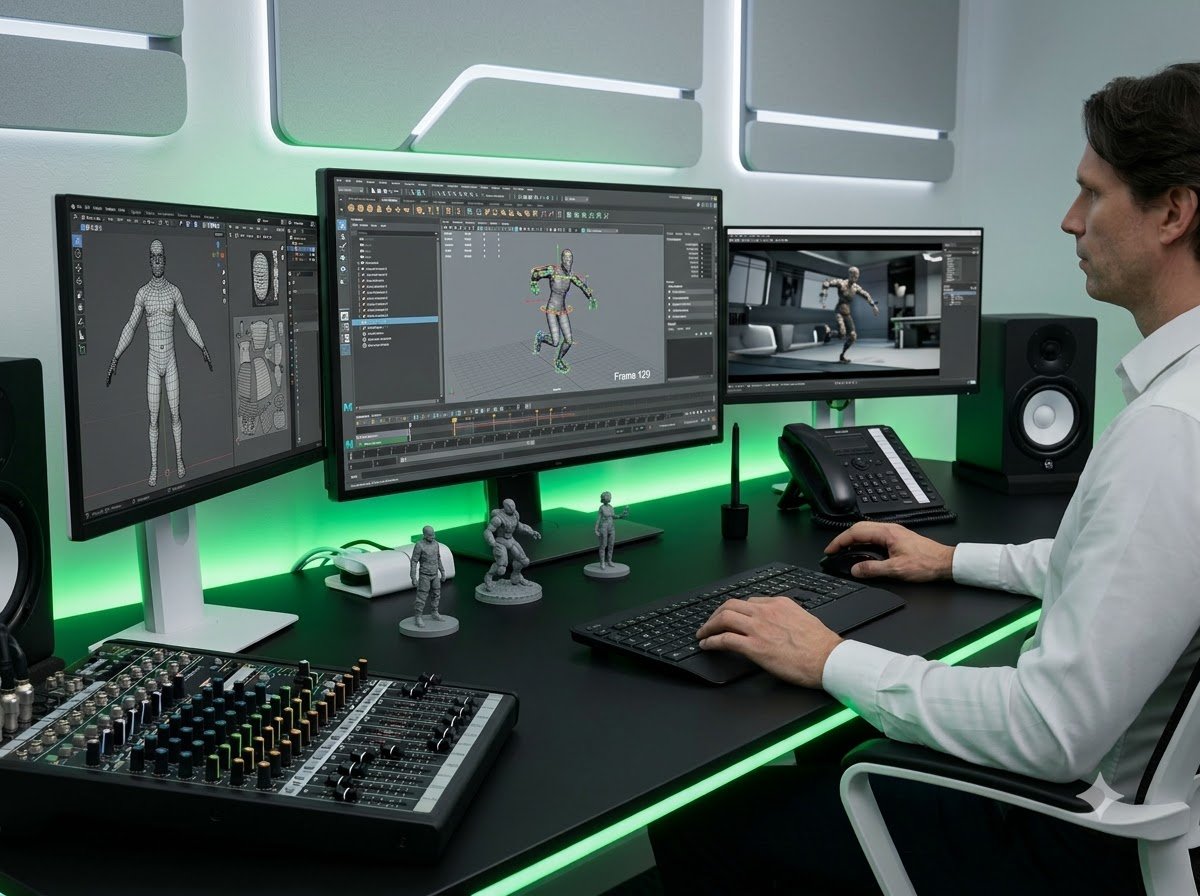
    M5 VFX, Rotoscoping and Compositing

    +
    • Green screen keying, layered compositing and 3D layer integration
    • Rotoscoping, cleanup, tracking, stabilisation, motion tracking and camera tracking
    • Camera animation, effects creation, controlled blends and VFX shot finishing
    • Breakdowns that show source footage, process layers and final output

    M6 3D Modelling, Sculpting, Texturing and Rendering

    +
    • Base mesh creation, polygon and spline modelling, object arrangement and topology
    • Sculpting, unwrapping, UVW mapping, painting, texturing, shading and map creation
    • Material editor, shaders, three-point lighting, camera setup and rendering
    • Character, product, environment and production asset exercises

    M7 3D Animation and Rigging

    +
    • Animation principles, timing, weight, spacing and movement analysis
    • Bouncing ball, pendulum, walk cycle, run cycle, jump and object interaction
    • Rigging fundamentals, deformation, hair basics and character posing
    • Camera animation, scene staging and final rendered animation

    M8 Filmmaking and Cinematography

    +
    • Visual storytelling, shot design, direction, framing and production planning
    • Indoor and outdoor videography, traditional and candid videography
    • Camera movement, tripod, reflector, lighting and gimbal operation
    • Short films, interviews, advertisements, event films and production roles

    M9 Game Art and Asset Creation

    +
    • Game-ready modelling, props, environments, characters and asset presentation
    • Topology, UVs, textures, materials, lighting and optimisation basics
    • Asset pipelines and portfolio presentation for game and interactive-media roles

    M10 Architectural and Product Visualisation

    +
    • Units, measurements, project setup and architectural modelling
    • Materials, V-Ray texturing, lighting, cameras and realistic rendering
    • Camera animation, walkthroughs and post-production
    • Interior, exterior and product-visualisation portfolio projects

    M11 Digital Content and AI Creative Production

    +
    • Content planning, platform-ready creatives, short-form video and campaign assets
    • Generative AI design, image, editing, VFX, audio and 3D-assisted workflows
    • Prompting, blend techniques, controlled variations, plugins and production automation
    • Human editing, fact checking, copyright, consent, originality and quality control
    • Freelance profile, quotation, client communication, revisions and delivery workflow
    📋
    Download Full Syllabus

    Hi, please send me the complete syllabus, fee and admission details for B.Sc. Multimedia & Animation with Generative AI at XL Institute, Amritsar.

    💬 Get Syllabus on WhatsApp


    Who Can Join?

    • Students who have completed 10+2 / 12th from any stream
    • Learners interested in design, video, animation, VFX, photography, filmmaking, games or digital content
    • Beginners who want to explore multiple fields before choosing a specialisation
    • Students who want a degree together with practical portfolio development
    • Learners interested in employment, freelancing, entrepreneurship or higher studies
    Book Free Demo →
    Why XL Institute

    Why This B.Sc. Degree Matters for a Creative Career

    XL Institute combines certified training, real industry projects, and placement support to launch your creative career.

    Award

    Diverse Skill Development

    Students explore multiple creative disciplines before selecting a stronger career direction. This reduces the pressure to choose one narrow field immediately after 12th and helps learners understand where their natural ability and interest are strongest.

    CREATIVE, HANDS-ON LEARNING
    Award

    Industry-Relevant Practical Skills

    Entertainment, advertising, gaming, digital media, film production, architecture and online content teams need professionals who can understand complete production workflows. Practical knowledge across connected fields helps students collaborate better and adapt to changing job requirements.

    PERSONALISED LEARNING
    Award

    A Strong Portfolio, Not Only a Qualification

    Assignments, production exercises and capstone work are organised into a professional portfolio and showreel. This gives students visible evidence of their skills for interviews, internships, freelance clients and further specialisation.

    INDUSTRY-RELEVANT TRAINING
    Award

    Flexibility to Work, Freelance or Build a Studio

    The combination of creative, technical and client-facing skills supports different paths - employment, remote projects, freelancing, content creation, entrepreneurship or higher education.

    PORTFOLIO DEVELOPMENT
    14,000+
    Students Trained
    18+
    Years Experience
    4.7★
    Google Rating
    100%
    Placement Support
    Software Training

    Industry Tools You'll Master at XL

    Master the industry-standard software and tools used by professionals to create, design, and deliver real-world projects.

    Palette
    Adobe Photoshop
    Concept Art, Textures & UI Design
    Palette
    Adobe Premiere Pro
    Game Trailers & Promotional Video Editing
    Palette
    CorelDRAW
    Editing
    Palette
    Sound Forge Pro
    Audio Editing & Sound Effects
    Palette
    Adobe After Effects
    Motion Graphics & Visual Effects
    Palette
    Autodesk Maya
    3D Modelling, Animation & Game Asset Creation
    Palette
    ZBrush
    Digital Sculpting & High-Detail Character Creation
    Career Outcomes

    What Can You Do After This Course?

    The creative and digital media industry continues to grow across film, gaming, advertising, and digital platforms. After completing this programme, you'll have the practical skills to work across animation, design, video production, or digital marketing - or freelance on your own terms.

    • Work as a 2D/3D animator, VFX artist, or compositor on films, ads, and OTT content
    • Career in graphic design, motion graphics, video editing, or web design
    • Game design contributor and interactive experiences across mobile, PC, and console platforms
    • Launch your own creative studio or freelance career across design, animation etc.
    Palette
    Graphic Design & Branding
    Graphic Designer, Visual Designer, Illustrator, Brand Designer
    Avg Salary
    ₹25k–₹60k/month
    Palette
    Video Editing & Colour
    Video Editor, Film Editor, Wedding Editor, Colour Grading Artist
    Avg Salary
    ₹25k–₹55k/month
    Palette
    Motion Graphics
    Motion Graphics Designer, Title Artist, Social Motion Designer
    Avg Salary
    ₹30k–₹65k/month
    Palette
    VFX & Compositing
    VFX Artist, Compositing Artist, Roto-Paint Artist, Tracking Artist
    Avg Salary
    ₹28k–₹60k/month
    Palette
    2D Animation & Storyboarding
    2D Animator, Storyboard Artist, Character Animation Assistant
    Avg Salary
    ₹25k–₹55k/month
    Palette
    3D Animation & CGI
    3D Modeller, 3D Animator, Rigging Artist, Lighting Artist, CGI Artist
    Avg Salary
    ₹25k–₹70k+/month
    Palette
    Photography & Cinematography
    Photographer, Cinematographer, Camera Assistant, Lighting Assistant
    Avg Salary
    ₹22k–₹50k/mo
    Palette
    Filmmaking & Content Production
    Digital Filmmaker, Content Creator, Production Assistant, Video Producer
    Avg Salary
    ₹22k–₹50k/mo
    Palette
    Game Art & Assets
    Game Artist, Game Asset Artist, Environment Artist, Level-Art Assistant
    Avg Salary
    ₹22k–₹50k/mo
    Palette
    Architecture & Product Visualisation
    3D Visualiser, Architectural Visualiser, Product Visualisation Artist
    Avg Salary
    ₹22k–₹50k/mo
    Palette
    Social Media & AI Creative Work
    Social Media Specialist, AI Creative Professional, Freelance Creator
    Avg Salary
    ₹22k–₹50k/mo
    Career Outcomes

    Start Building Experience and Earning During Your Course

    At XL, students are guided to apply their skills through practical assignments, part-time opportunities, internships and freelance projects. Along with technical training, students learn portfolio presentation, client communication, project delivery and professional working methods.

    85% of XL Students Start Earning During Their Studies*

    Student Work

    Real Projects by Real Students

    These aren't mock assignments. Every project below was created during the course — for real clients or industry showcases.

    Student Reviews

    What Our Students Say

    4.7
    ★★★★★
    14000+ Students Trained
    5 ★89%
    4 ★8%
    3 ★2%
    2 ★1%
    ★★★★★

    "During my B.Sc. journey at XL, practical assignments helped me improve my creative and technical skills step by step. I started taking part-time and freelance projects while studying, which gave me confidence to work with real deadlines and clients. By the final semester of my 2023-26 batch, I was earning around Rs.70,000-Rs.80,000 per month. Regular project feedback and portfolio guidance made a big difference in my growth."
    Manmeet Singh
    Manmeet Singh
    B.Sc. Batch 2023-26
    ★★★★★

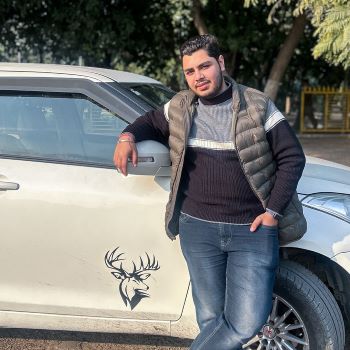
    "I joined the B.Sc. programme because I wanted to learn more than one creative field. At XL, regular practice and real project work helped me build a stronger portfolio and understand professional working methods. During the final semester of the 2023-26 batch, I was managing part-time and freelance projects and earning around Rs.50,000-Rs.60,000 per month. Starting work during the degree gave me valuable experience before graduation."
    Nischay Khanna
    Nischay Khanna
    B.Sc. Batch 2023-26
    ★★★★★

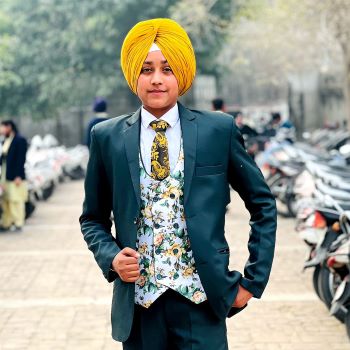
    "The practical training at XL helped me turn my interest in multimedia into professional skills. I worked consistently on projects, improved my portfolio and started handling job work along with freelance assignments while continuing the degree. During the final semester of the 2023-26 batch, I was earning around Rs.40,000-Rs.50,000 per month. Learning and working together helped me become more confident and prepared for the industry."
    Aksh Arora
    Aksh Arora
    B.Sc. Batch 2023-26
    FAQ

    Frequently Asked Questions

    Everything students from Amritsar, Tarn Taran, Batala and nearby areas want to know.
    Find Us

    Visit XL Institute in Amritsar

    📍
    Address SCO-6, Level 5, B-Block
    Ranjit Avenue, Amritsar, Punjab
    📞
    Call / WhatsApp +91 99144 88881  ·  +91 97819 33000
    ✉️
    ★★★★★
    4.7/5 reviews on Google · 14,000+ Students Trained

    Admission Process - 4 Simple Steps

    From inquiry to course start in under a week · No entrance test
    1
    Book a Free Demo Class Attend a practical demo and understand the course, training method and career scope. Online or Walk-in
    2
    Attend a Counselling Session Discuss course details, batch timings, certification, fees and payment options. ~30 Minutes
    3
    Complete Registration Submit the required details and registration amount to reserve your seat. EMI Available
    4
    Start Your Training Join your selected batch and begin practical learning from the first day. Admissions open for upcoming batch
    Call WhatsApp